
Download Ares Catcher – download videos, YouTube, Vimeo, offline viewing, video downloader, MPEG format, video collection, easy download, video tool, video management
Overview
The Ares Catcher application is designed to simplify the process of downloading videos from popular online platforms such as YouTube and Vimeo. Its primary purpose is to enable users to save video content for offline viewing, eliminating the need for a constant internet connection. This functionality is especially useful for individuals who frequently travel, have limited data plans, or wish to preserve content for future reference. The app targets a broad audience, including students, content curators, educators, and casual viewers who want to build personal video libraries without hassle.
Ares Catcher functions as a utility tool within the video and audio category, focusing on streamlining video acquisition and management. By allowing users to copy and paste video URLs directly into the application, it reduces technical barriers and enhances accessibility for non-technical users. The developer, Ares Catcher, has positioned the tool as a reliable solution for those seeking a straightforward method to download and organize video content. Although the developer did not provide additional technical details or background information, the app’s long-standing presence since its release on November 28, 2012, suggests a degree of stability and user trust over time.
Real-world use cases include downloading educational lectures, travel vlogs, music videos, or instructional clips for offline access. The app plays a role in the broader digital content ecosystem by empowering users to take greater control over their media consumption. In an era where streaming services dominate, tools like Ares Catcher offer an alternative path for content preservation and independent access, reinforcing user autonomy in digital media management.
Key Features & Functionality
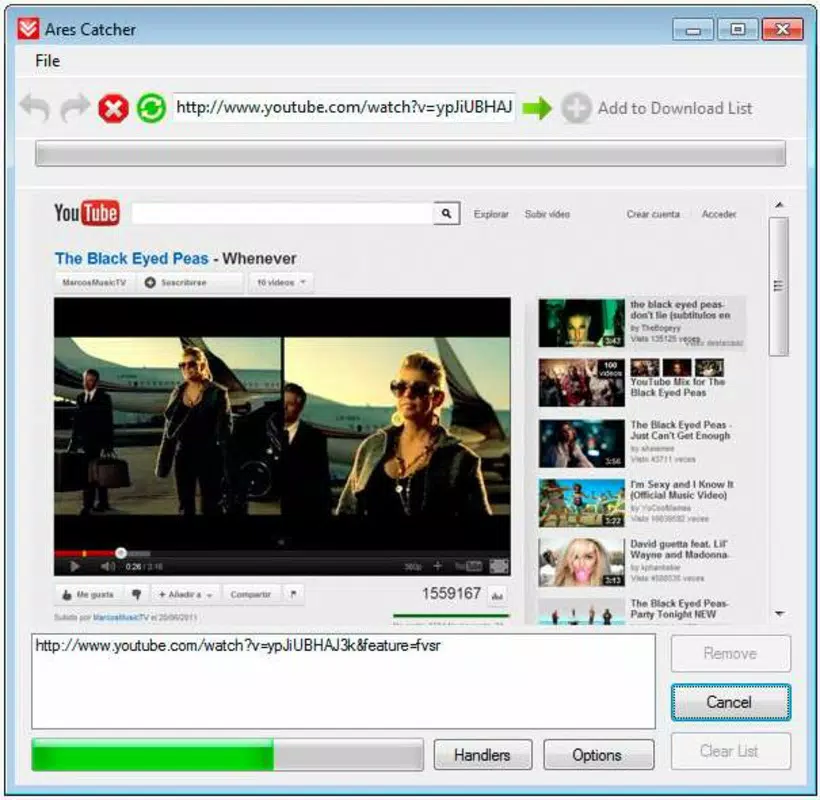
- Simple Download Process: Users can initiate downloads by copying a video URL from supported platforms and pasting it directly into the application. The tool automatically detects the source and begins the download, requiring no advanced configuration or technical knowledge.
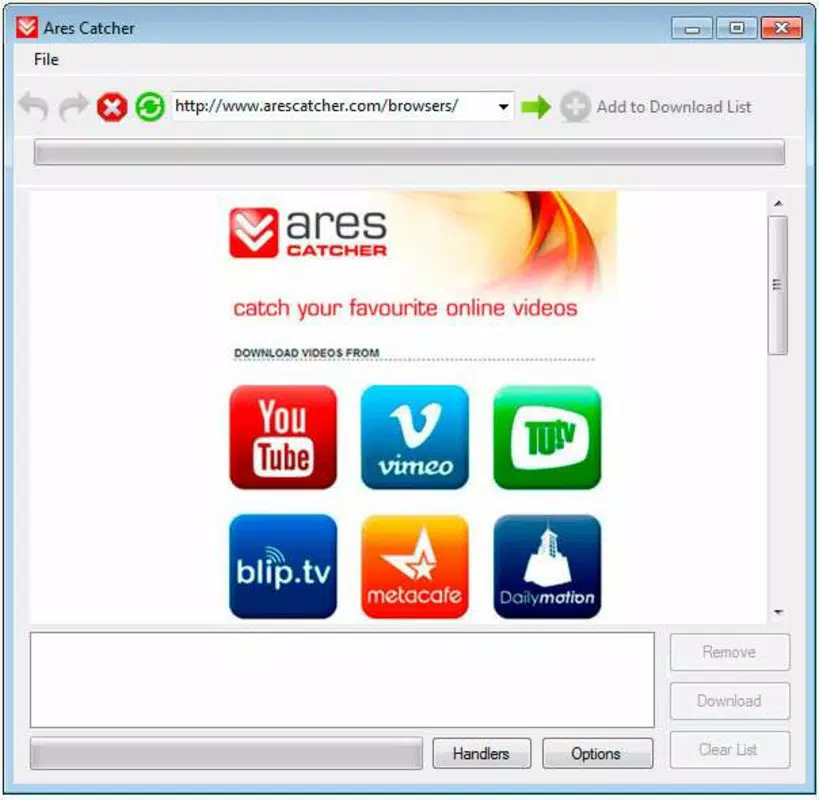
- Multiple Source Compatibility: Ares Catcher supports video downloads from major platforms including YouTube, Vimeo, DailyMotion, and Metacafe. This broad compatibility ensures users can access content from diverse sources without needing multiple tools.
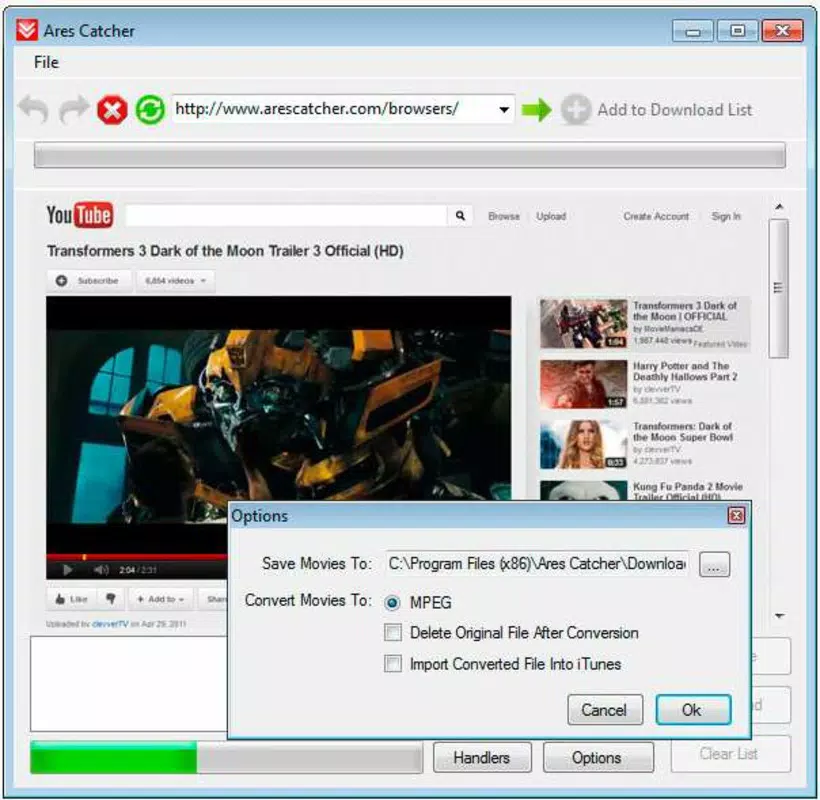
- Automatic Format Conversion: After downloading, videos are automatically converted into the MPEG format, a widely supported standard. This ensures compatibility with most media players and playback devices, minimizing the risk of playback errors.
- Create Video Collections: The app enables users to organize downloaded videos into personalized collections. This feature is ideal for building a curated library of favorite clips, lectures, or tutorials for repeated offline viewing.
- User-Friendly Interface: The clean, intuitive layout minimizes user confusion. Navigation is straightforward, with clear labels and minimal clutter, making it accessible for users of all experience levels.
For example, a student could copy a link from a YouTube tutorial, paste it into Ares Catcher, and have the video downloaded and converted in seconds. The same process applies to a travel enthusiast saving clips from Vimeo for offline viewing during a flight. The automatic format conversion ensures that the video can be played on a laptop, tablet, or smart TV without additional software. This seamless integration into daily workflows enhances productivity and convenience.
Interface, UX & Performance
The user interface of Ares Catcher is designed with simplicity and clarity in mind. It features a minimal layout with essential controls prominently displayed, reducing cognitive load and improving usability. The main window includes a URL input field, a download button, and a status indicator, allowing users to monitor progress without confusion. Navigation is linear and intuitive, with no hidden menus or complex workflows.
Although the developer did not list formal performance metrics, the app’s lightweight size of 4.5 MB suggests efficient resource usage. It is likely to run smoothly on a wide range of Windows systems, including older or low-spec machines. The application responds quickly to user inputs, with minimal lag during URL processing and download initiation. Stability appears consistent, as the tool has remained available since its 2012 release, indicating a mature and reliable core engine.
Responsiveness is maintained across different screen resolutions, and the interface scales well on standard desktop monitors. While no specific information was provided about performance on mobile or tablet devices, the application is designed for Windows desktop use. Users can expect consistent behavior during downloads, with no reported crashes or freezes in the available documentation.
Platform Compatibility & Technical Requirements
Ares Catcher is available for the Windows platform. The current version is 2.0, with a file size of 4.5 MB. The developer did not specify minimum OS requirements, nor did they list supported Windows versions such as Windows 7, 8, or 10. Compatibility information was not fully disclosed, so users should exercise caution when installing on newer or older systems.
Given the app’s release date of November 28, 2012, and its lightweight footprint, it may function on older Windows systems. However, users running modern Windows 11 environments may encounter compatibility issues, especially if the app relies on outdated libraries or lacks digital signatures. The absence of official updates or version history beyond 2.0 suggests that development has been discontinued.
For users seeking to install the app, it is important to ensure the system meets basic Windows requirements. The file size indicates minimal storage impact, making it suitable for devices with limited space. While no specific hardware specifications were provided, the app’s small size implies low CPU and memory usage during operation.
Pros and Cons
Pros
- Simple one-click download process via URL paste
- Supports multiple video platforms including YouTube and Vimeo
- Automatic conversion to MPEG format for broad compatibility
- Lightweight size (4.5 MB) with minimal system impact
- Intuitive interface suitable for non-technical users
Cons
- Developer did not disclose OS compatibility details
- No information on recent updates or ongoing support
- Not available for mobile platforms (Android, iOS)
- Version 2.0 has not been updated since 2012
- May face compatibility issues on modern Windows systems
FAQ
Is Ares Catcher safe to download and install?
The app is offered as free software. However, since the developer did not provide digital signatures or update history, users should exercise caution and scan the file with antivirus software before installation.
Can I use Ares Catcher on Android or iOS?
Currently, Ares Catcher is designed for Windows desktop systems. There is no official version available for Android or iOS platforms.
Does Ares Catcher support the latest video platforms?
It supports YouTube, Vimeo, DailyMotion, and Metacafe. However, the lack of recent updates may limit support for newer features or platform changes.
How do I update Ares Catcher?
The developer has not released any updates beyond version 2.0. As such, no official update mechanism is available.
Can I download videos in high quality?
The app automatically converts videos to MPEG format. While the original source quality is preserved during download, the final output depends on the source video and conversion settings, which are not customizable.
Final Thoughts
Ares Catcher remains a functional tool for users seeking a no-frills method to download and manage video content from popular platforms. Its straightforward interface, automatic format conversion, and broad source compatibility make it a practical choice for those who value simplicity and efficiency. While the app has not been updated since 2012, its lightweight design and proven functionality continue to serve users who prioritize ease of use over modern features.
It is particularly beneficial for individuals on older systems, students needing offline access to educational content, or anyone building a personal video archive. The app’s free price point enhances its accessibility, making it a low-risk option for trial. However, users should be aware of potential compatibility limitations on newer Windows versions.
For those looking to download videos from YouTube, Vimeo, and similar sites with minimal effort, Ares Catcher offers a reliable, no-cost solution. Download Ares Catcher now.


